Vulkan Grass Rendering
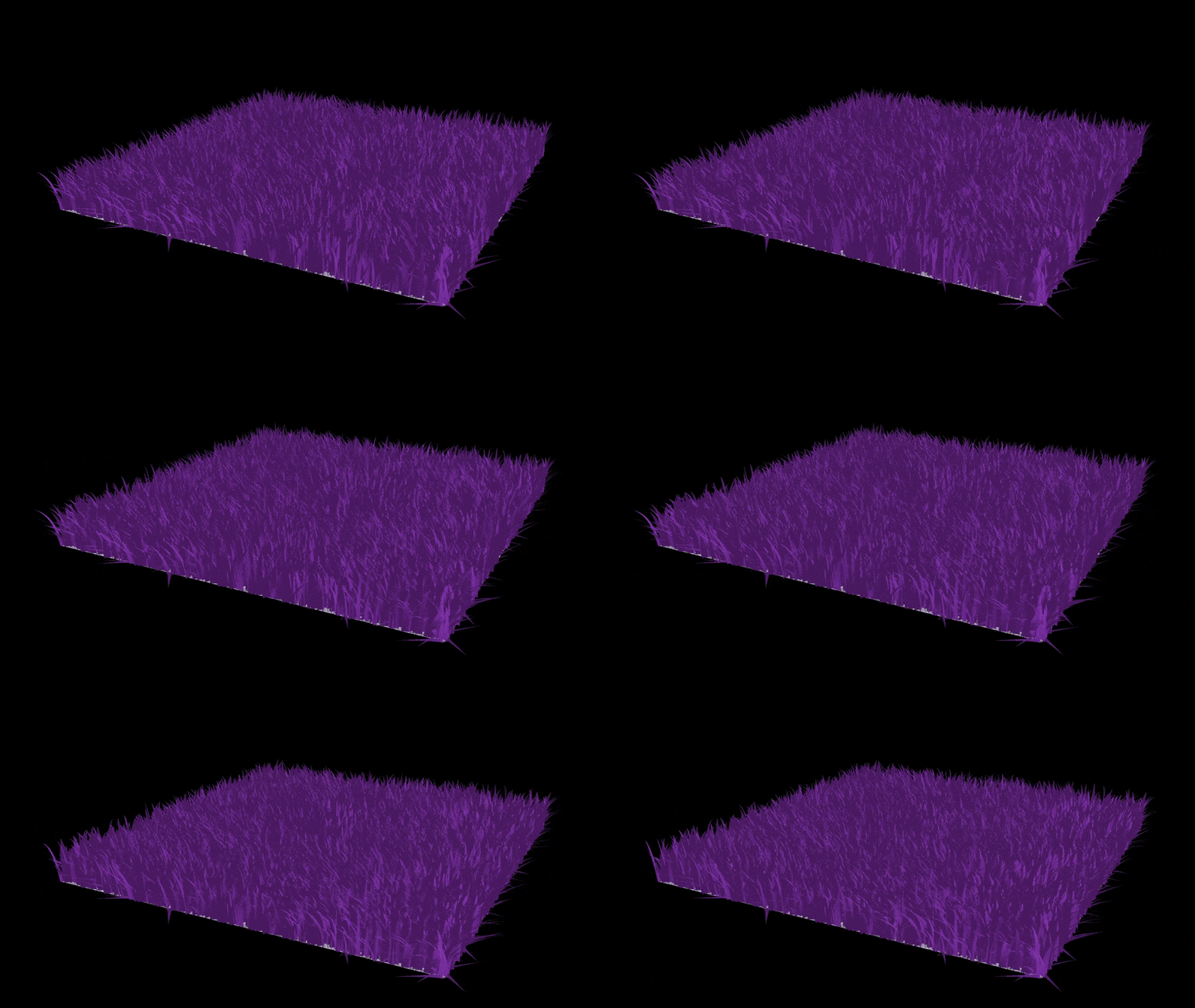
Dense grass fields are expensive: storing millions of blade meshes up front would exhaust GPU memory before the scene even starts, and simulating each blade on the CPU cannot keep pace with frame rate. This renderer solves both problems by keeping each blade as a compact quadratic Bezier curve (three control points instead of a full mesh) and doing all simulation and geometry expansion on the GPU. Based on Jahrmann & Wimmer's Responsive Real-Time Grass Rendering for General 3D Scenes, it runs entirely in Vulkan with GLSL compute and tessellation shaders.
A compute shader simulates wind, gravity, and elastic recovery per blade each frame, then culls blades that won't contribute to the image. The survivors go to a tessellation shader that expands curves into triangle geometry at render time. At 4.2 million blades, culling holds frame time to ~75 ms versus ~134 ms without it, a 1.8x speedup that grows with scene density.
Blade data is generated on the CPU once at startup and uploaded to a GPU buffer. Every frame, a compute pass runs two jobs: simulating forces on each blade and culling the ones that won't be visible. The surviving count drives an indirect draw call, so the tessellation stage only processes blades that will actually contribute to the image.
Storing millions of triangle meshes for grass would consume too much VRAM. Instead, each blade is stored as three control points: v0 (root), v1 (mid-bend), and v2 (tip), forming a quadratic Bezier curve. The CPU randomizes height, width, orientation, and stiffness per blade so no two look identical. Stiffness controls how quickly the blade returns to its rest pose after forces push it around.
Keeping blades as curves rather than pre-built meshes means the geometry buffer stays small at any blade count. The tessellation shader generates triangles on the fly, so millions of blades fit in VRAM with room to spare.
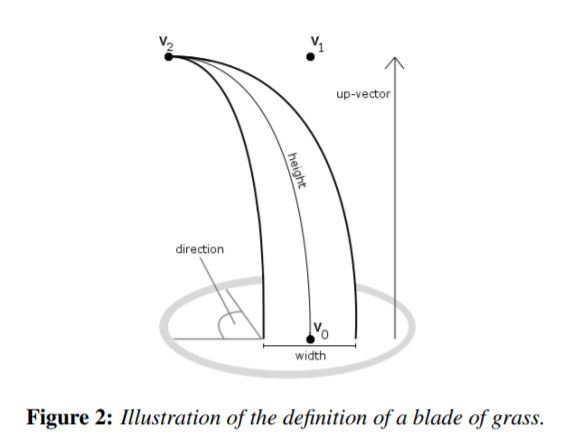
v0 (root), v1, v2 (tip) control points per blade (via CIS 5650)
Animating grass convincingly requires more than a fixed sine wave. Before any rasterization happens, a compute shader updates every blade's control points using three forces applied in sequence:
- Gravity pulls v1 and v2 downward each frame, bending the blade under its own weight.
- Wind applies a direction and magnitude sampled from a sine-based field, giving the field its wave-like motion.
- Recovery is a spring force proportional to each blade's stiffness coefficient, pushing it back toward the upright rest pose.
Running all of this in a compute pass before the draw call means the GPU never stalls waiting for simulation results, and no CPU-GPU sync is needed per frame.
At millions of blades, tessellating and shading every one wastes significant GPU time on geometry that will never appear in the final image. The same compute pass that runs physics also culls blades the fragment shader would never see. Three independent tests run on every blade:
- Orientation culling skips blades whose local width axis is nearly perpendicular to the view direction. Seen edge-on, a blade is sub-pixel wide, so tessellating it wastes work.
- View-frustum culling tests all three control points plus a midpoint against the six clip planes; blades entirely outside the frustum get dropped.
- Distance culling divides the far field into depth buckets and thins out blades in distant buckets, keeping dense detail near the camera where the eye can see it.
Blades that pass all three tests are written into a second SSBO (shader storage buffer object, a buffer both compute and graphics shaders can read) via an atomic counter. The indirect draw call reads that count, so the tessellation stage only touches survivors.
Rather than pre-computing geometry for each blade, the pipeline generates triangles on the fly at render time. The tessellation control shader sets the per-patch subdivision level based on blade height: taller blades get more segments. The tessellation evaluation shader then interpolates along the Bezier curve using the parameter tfrom [0, 1], generating vertex positions that trace the blade's curve. Vertices are offset perpendicular to the blade's orientation by half the blade width, giving each blade a flat, tapered silhouette.
The fragment shader applies Lambertian diffuse lighting. Normals are computed in the evaluation shader from the Bezier tangent at each segment, so lighting follows the blade's curve rather than being flat across the quad.
Frame time was measured with Nsight Graphics GPU capture, averaged over ~5 seconds at each blade count on an RTX 5090.
Fitting the data to a power law gives exponents of b ≈ 0.960 (culling off) and b ≈ 0.954 (culling on). Both are just under 1, confirming cost grows slightly sub-linearly. Most of the work really is per-blade, with no hidden quadratic bottleneck in the pipeline.
The culled path has a lower exponent, so the gap between the two curves widens at high blade counts. At 4.2M blades, culling cuts frame time from ~134 ms to ~75 ms (1.8x). The culling compute pass has a fixed setup cost that is negligible at large blade counts but noticeable at small ones, which is why the speedup ratio grows with density rather than staying flat.
log scale · lower is better · RTX 5090
| Blade Count | Culling Off (ms) | Culling On (ms) |
|---|---|---|
| 4,096 | 0.189 | 0.135 |
| 16,384 | 0.605 | 0.375 |
| 65,536 | 2.352 | 1.318 |
| 262,144 | 9.122 | 5.339 |
| 1,048,576 | 34.181 | 20.065 |
| 4,194,304 | 133.660 | 75.295 |
RTX 5090 · averaged over ~5 s · Nsight Graphics GPU capture